File Library for durable agent work
A workspace-owned library for reusable inputs and durable agent outputs, organized into file spaces with previews, permissions, and S3-compatible access.

A file appearing in a chat does not make it part of a company's operating memory. It still needs an owner, a durable location, a way to be found again, and a controlled path back into future work.
File Library is now the workspace-owned file surface in Vecbase. It keeps reusable source material and valuable agent output outside the lifetime of a single session, without turning storage into a separate product that users and agents must work around.
What shipped
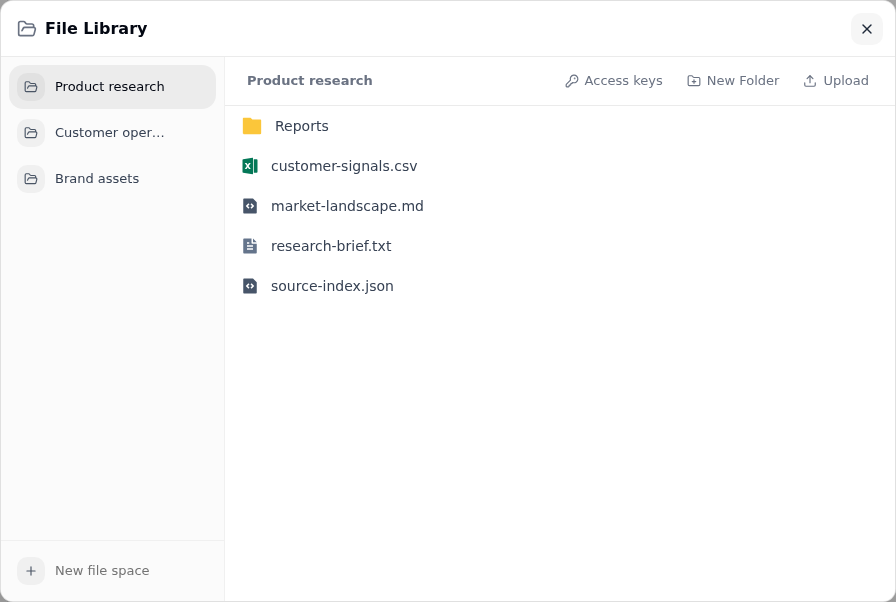
Create, rename, and remove separate file spaces instead of mixing every project and operating function into one undifferentiated container.
Build folder trees, upload multiple files, rename or move items, download them, and remove files or folders from one workspace surface.
Inspect common images, PDFs, text and code, Markdown, CSV, media, and Office files without first exporting them to another application.
Choose a file from an authorized file space while composing a task instead of uploading another duplicate for every session.
Preview or download a generated file in its session, then save the useful result into a chosen file space and folder.
Create a revocable access key for a file space when a local tool or existing data workflow needs endpoint, region, bucket, and credential details.
The complete file handoff
The important product change is not the file browser by itself. It is the round trip between workspace knowledge and agent execution.
The organization owner uploads source material once and places it in a folder structure that matches the work.
The agent-aware picker shows readable file spaces and makes authorization visible before a file is added to the task.
The runtime validates the workspace, active user file space, object key, and destination path before placing a copy in the agent work environment.
Generated files remain inspectable in the session; a user chooses the target file space and folder for the outputs worth retaining.
This distinction is intentional. A session is the execution record. File Library is the durable handoff point. Keeping the save action explicit prevents every intermediate artifact from silently becoming workspace source material.
Access is part of the workflow
File selection is scoped to the agent doing the work. The picker lists user file spaces that carry a readable grant for that agent and provides an authorization step when another space is needed. Read, write, and delete remain separate actions in the storage permission model.
The runtime also rejects cross-workspace references, inactive or system storage, unsafe object keys, and unsafe destination paths before a file is materialized. The selected object becomes a working copy inside the agent environment; File Library is not exposed as an unrestricted live filesystem.
For external clients, access keys are created per file space. The secret is shown once, active keys expose last-used state, and a workspace operator can revoke a key without replacing the storage model behind the product.
Use it
Open File Library from the workspace sidebar, create a file space for a real operating boundary, and add the folders and source files that work requires. In an agent session, choose an existing file from the file picker. When the agent returns a deliverable worth keeping, use Save to File Library and choose its destination.
That is the intended loop: organize once, delegate from the same source, inspect the work, and preserve only the result that should become part of the workspace.