


Versteht die Aufgabe
Der Agent verbindet Ihre Vorgaben mit den Quellen, statt nur eine Ein-Klick-Konvertierung auszuführen.
Fügen Sie die passenden Unterlagen hinzu (Wettbewerberseiten, Produkte und Überwachungsregeln) und beschreiben Sie Ihr Ziel. Sie erhalten eine belegte Historie von Preisänderungen, das Sie prüfen und weiterbearbeiten können.
Stellen Sie Wettbewerberseiten, Produkte und Überwachungsregeln und die für diese Aufgabe wichtigen Angaben bereit.
Der Agent prüft die Quellen, folgt Ihren Vorgaben und erstellt eine belegte Historie von Preisänderungen.
Prüfen Sie das Ergebnis, verlangen Sie Änderungen im selben Gespräch und laden Sie die finale Fassung herunter.
Öffnen Sie die vollständige Datei oder sehen Sie sich unten die wichtigsten Seiten an.
Vollständige Datei öffnen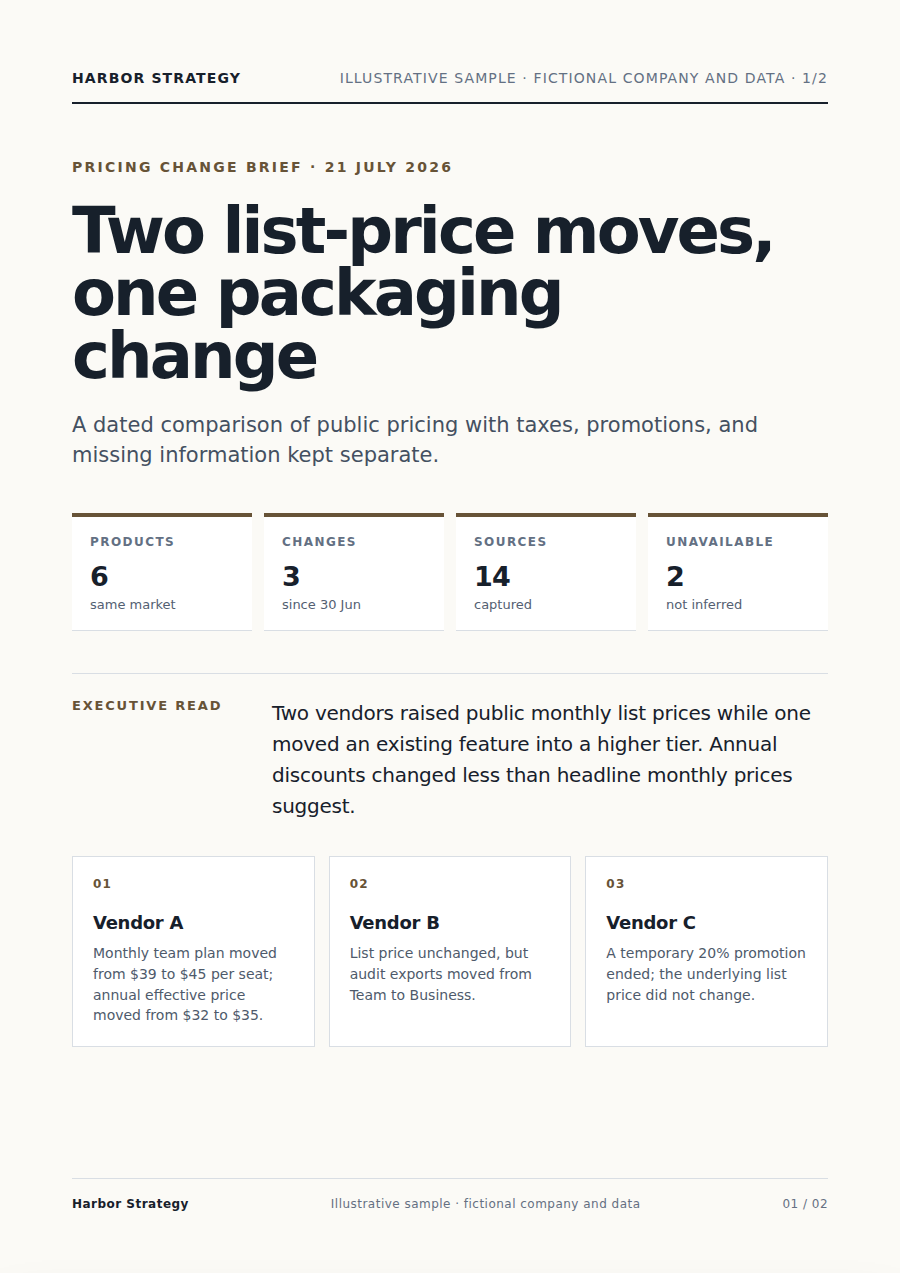
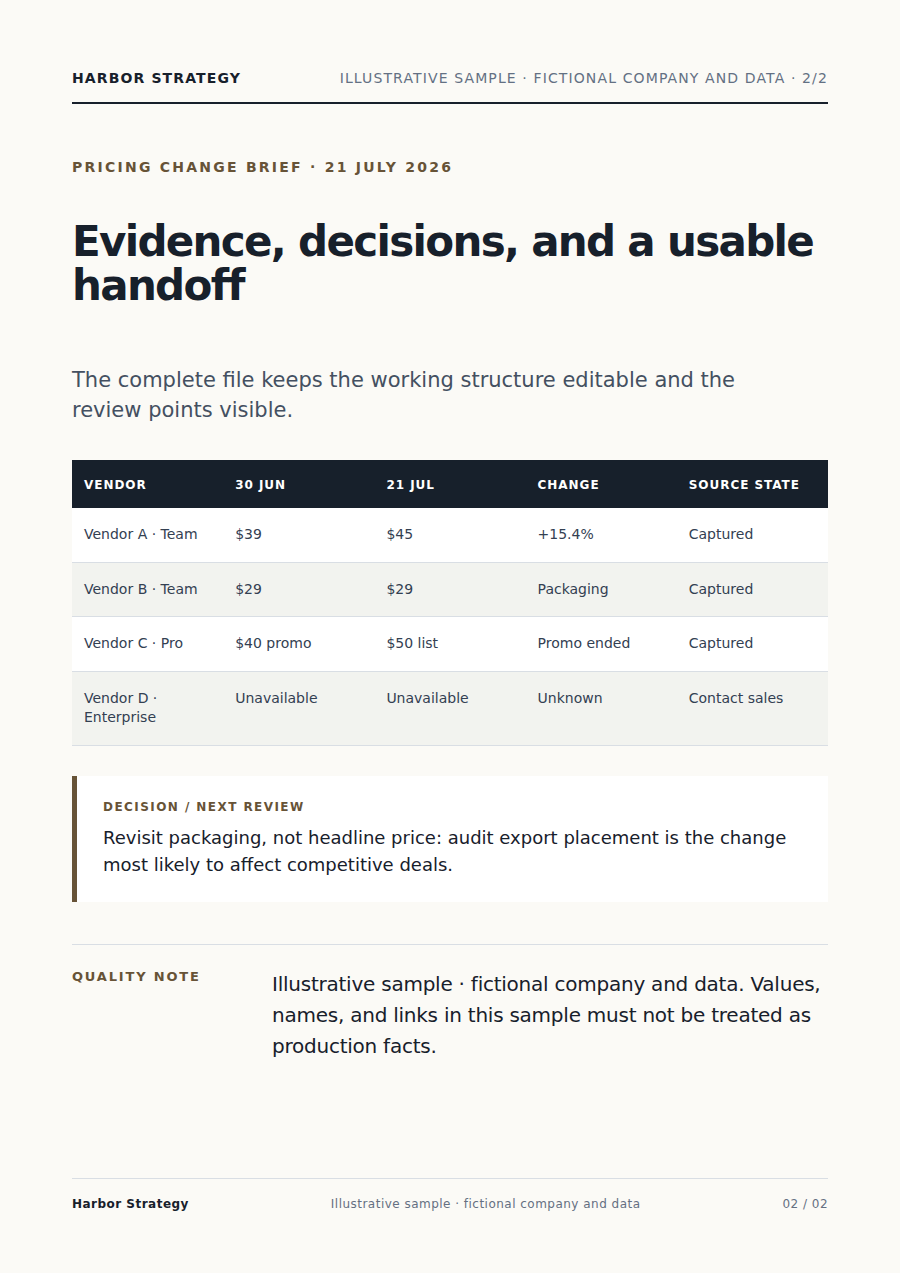
Der Agent verbindet Ihre Vorgaben mit den Quellen, statt nur eine Ein-Klick-Konvertierung auszuführen.
Wichtige Aussagen bleiben mit Ihrem Material verknüpft; Unsicherheiten werden zur Prüfung markiert.
Sie erhalten eine belegte Historie von Preisänderungen, die Sie prüfen, herunterladen und weiter verbessern können.
Beginnen Sie mit Wettbewerberseiten, Produkte und Überwachungsregeln und ergänzen Sie Zielgruppe, Ziel, Vorgaben und gewünschtes Format.
Er liest die Quellen, plant die Arbeit, nutzt passende Werkzeuge und erstellt eine belegte Historie von Preisänderungen zur Prüfung.
Ja. Prüfen Sie das Ergebnis und lassen Sie sich einzelne Punkte erklären oder ändern.
Ja. Passen Sie im selben Gespräch Schwerpunkt, Formulierung, Umfang oder Format weiter an.
Arbeiten Sie mit demselben Material weiter, ohne Dateien zwischen Produkten zu verschieben.
Für Wettbewerbsanalyse: Unternehmensnamen, Fragestellungen oder vorhandene Notizen hinzufügen. Der Vecbase-Agent erstellt einen Wettbewerbsbericht mit Quellen zum Prüfen und Bearbeiten.
Für Finanzabschlussbericht: Finanztabellen oder Systemexporte hinzufügen. Der Vecbase-Agent erstellt einen abstimmbaren Finanzbericht zum Prüfen und Bearbeiten.
Für Datenanalyse: eine Excel-, CSV- oder TSV-Datei hinzufügen. Der Vecbase-Agent erstellt einen klaren Analysebericht zum Prüfen und Bearbeiten.
Vecbase
Fügen Sie für Wettbewerber-Preisüberwachung Wettbewerberseiten, Produkte und Überwachungsregeln hinzu, nennen Sie die wichtigsten Anforderungen und lassen Sie den Vecbase-KI-Agenten eine belegte Historie von Preisänderungen erstellen. Anschließend können Sie alles prüfen und weiterbearbeiten.