


काम को समझता है
Agent केवल एक-क्लिक कन्वर्ज़न नहीं करता, बल्कि आपके निर्देशों और स्रोतों को साथ लेकर काम करता है।
अपने अनुभव की जानकारी या मौजूदा रिज़्यूमे जोड़ें और बताएँ कि आपको क्या चाहिए। AI एजेंट काम पूरा करके ATS के अनुकूल रिज़्यूमे तैयार करता है, जिसे आप जाँच और सुधार सकते हैं।
अपने अनुभव की जानकारी या मौजूदा रिज़्यूमे और इस काम के लिए महत्वपूर्ण जानकारी दें।
Agent स्रोतों को समझता है, आपके निर्देशों का पालन करता है और ATS के अनुकूल रिज़्यूमे तैयार करता है।
डिलिवरेबल देखें, उसी बातचीत में बदलाव माँगें और अंतिम फ़ाइल डाउनलोड करें।
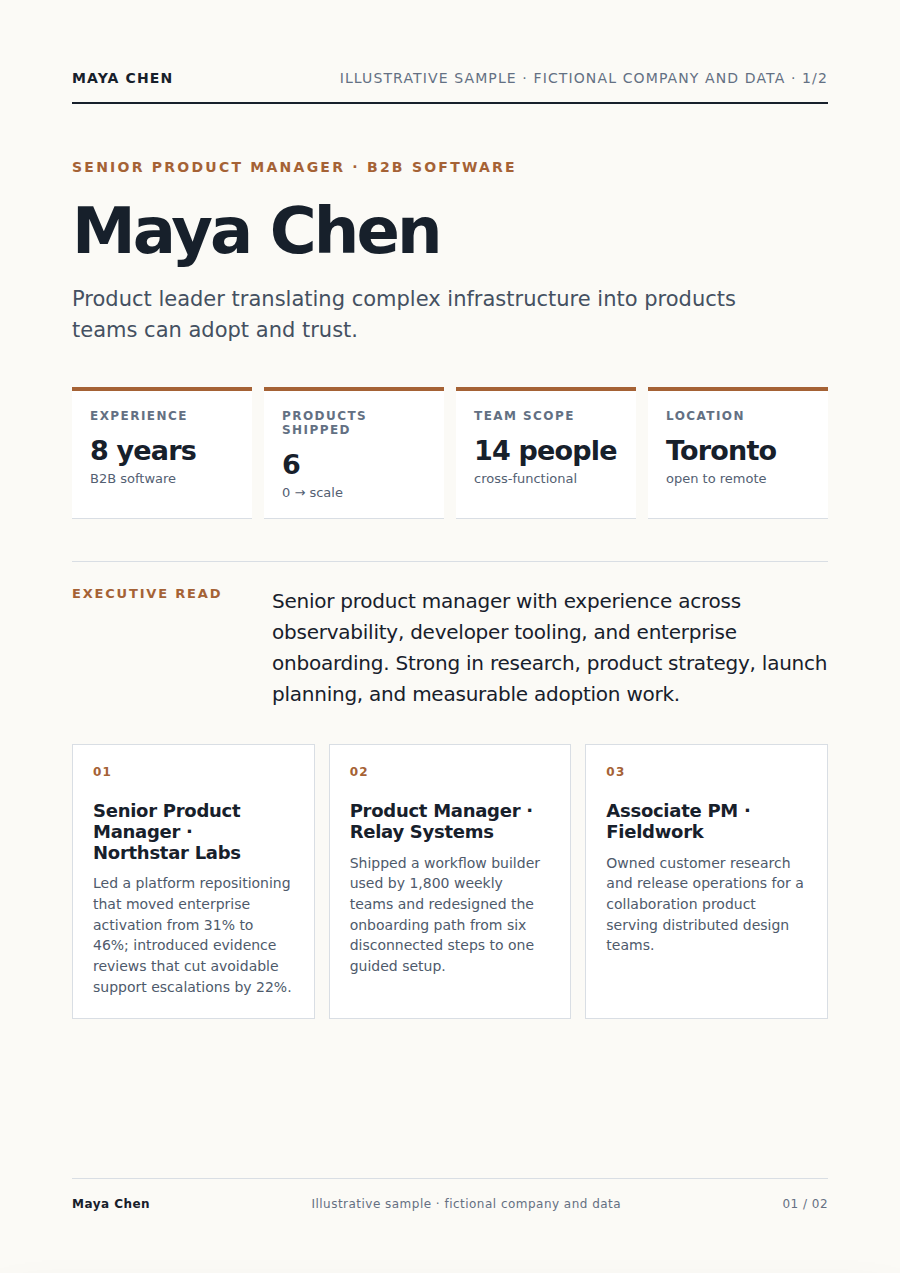
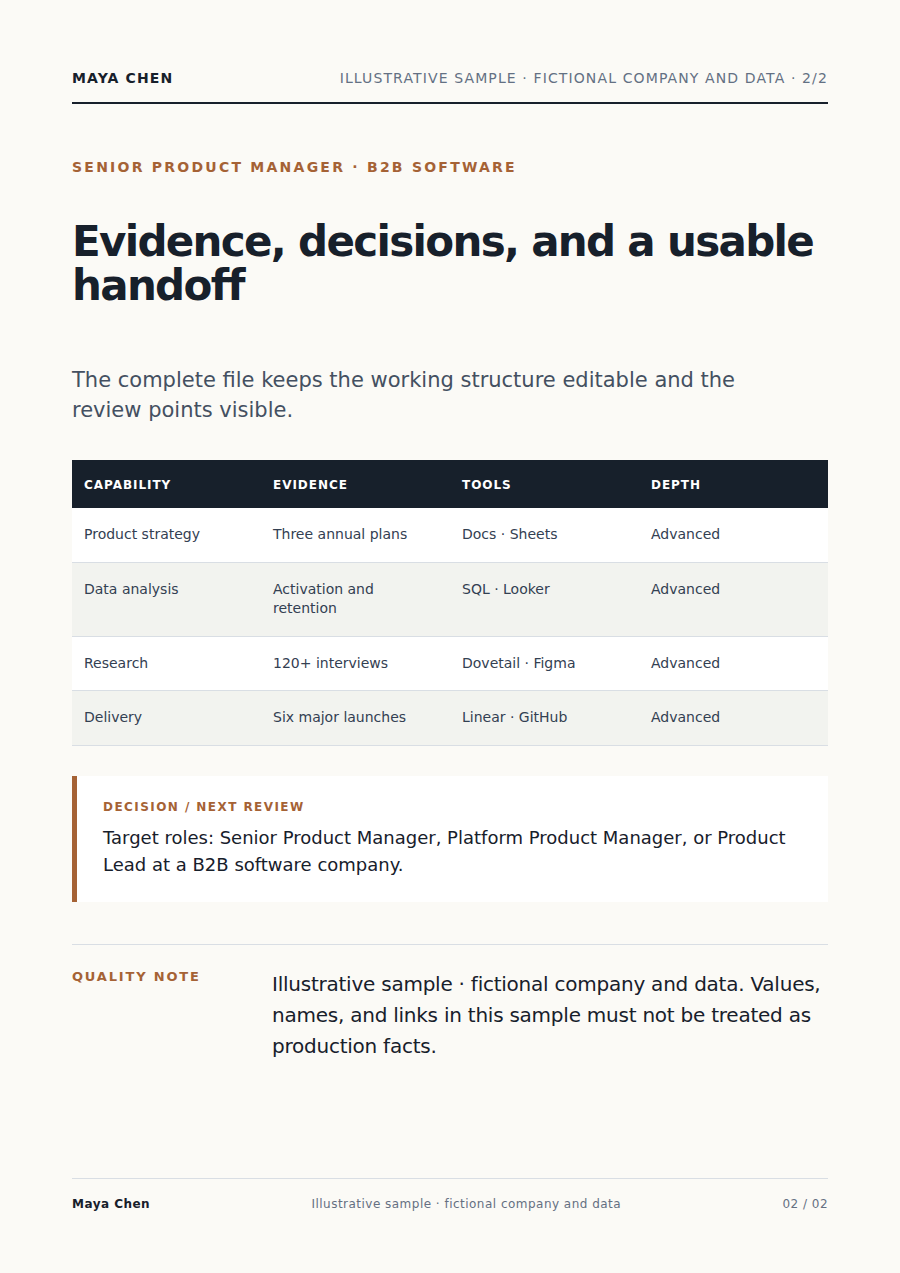
Agent केवल एक-क्लिक कन्वर्ज़न नहीं करता, बल्कि आपके निर्देशों और स्रोतों को साथ लेकर काम करता है।
महत्वपूर्ण बातें आपकी सामग्री से जुड़ी रहती हैं और अनिश्चित हिस्से समीक्षा के लिए दिखाए जाते हैं।
आपको ATS के अनुकूल रिज़्यूमे मिलता है जिसे जाँचा, डाउनलोड और बिना फिर से शुरू किए सुधारा जा सकता है।
अपने अनुभव की जानकारी या मौजूदा रिज़्यूमे से शुरू करें और पाठक, लक्ष्य, सीमाएँ व मनचाहा फ़ॉर्मैट बताएँ।
वह स्रोत पढ़ता है, काम की योजना बनाता है, सही टूल इस्तेमाल करता है और समीक्षा के लिए ATS के अनुकूल रिज़्यूमे तैयार करता है।
हाँ। डिलिवरेबल की समीक्षा करें और इस्तेमाल से पहले किसी भी हिस्से की व्याख्या या बदलाव माँगें।
हाँ। उसी बातचीत में फ़ोकस, भाषा, दायरा या फ़ॉर्मैट बदलते रहें।
उसी सामग्री पर काम जारी रखें, फ़ाइलों को अलग-अलग प्रोडक्ट में ले जाने की ज़रूरत नहीं।
जॉब डिस्क्रिप्शन लेखन के लिए हायरिंग ब्रीफ़, टीम नोट्स या मौजूदा विवरण जोड़ें। Vecbase AI एजेंट साफ़ और प्रकाशित करने योग्य जॉब डिस्क्रिप्शन तैयार करता है और आपके बदलाव लागू करता है।
रिज़्यूमे स्क्रीनिंग के लिए उम्मीदवारों के रिज़्यूमे और भूमिका के मानदंड जोड़ें। Vecbase AI एजेंट एक समान और प्रमाण आधारित उम्मीदवार तुलना तैयार करता है और आपके बदलाव लागू करता है।
पोर्टफोलियो बनाना के लिए प्रोजेक्ट विवरण, केस स्टडी और विज़ुअल एसेट जोड़ें। Vecbase AI एजेंट प्रकाशित करने योग्य पोर्टफोलियो साइट तैयार करता है और आपके बदलाव लागू करता है।
Vecbase
रिज़्यूमे लेखन के लिए अपने अनुभव की जानकारी या मौजूदा रिज़्यूमे जोड़ें, अपनी प्राथमिकताएँ बताएं और Vecbase Agent को ATS के अनुकूल रिज़्यूमे तैयार करने दें—फिर आप उसे जाँचकर आगे सुधार सकते हैं।