


Understands the task, not just the file
The Agent groups similar feedback, counts recurring themes, preserves representative quotes, and surfaces exceptions and minority views.
Add feedback exports, reviews, or notes. The Vecbase Agent groups recurring needs, keeps representative and minority voices, and creates a report your team can discuss.
Paste feedback or attach survey, support, review, or community exports, and explain the product decision you need to make.
The Agent groups similar feedback, counts recurring themes, preserves representative quotes, and surfaces exceptions and minority views.
Receive a concise findings report with themes, evidence, and suggested actions that your product team can review together.
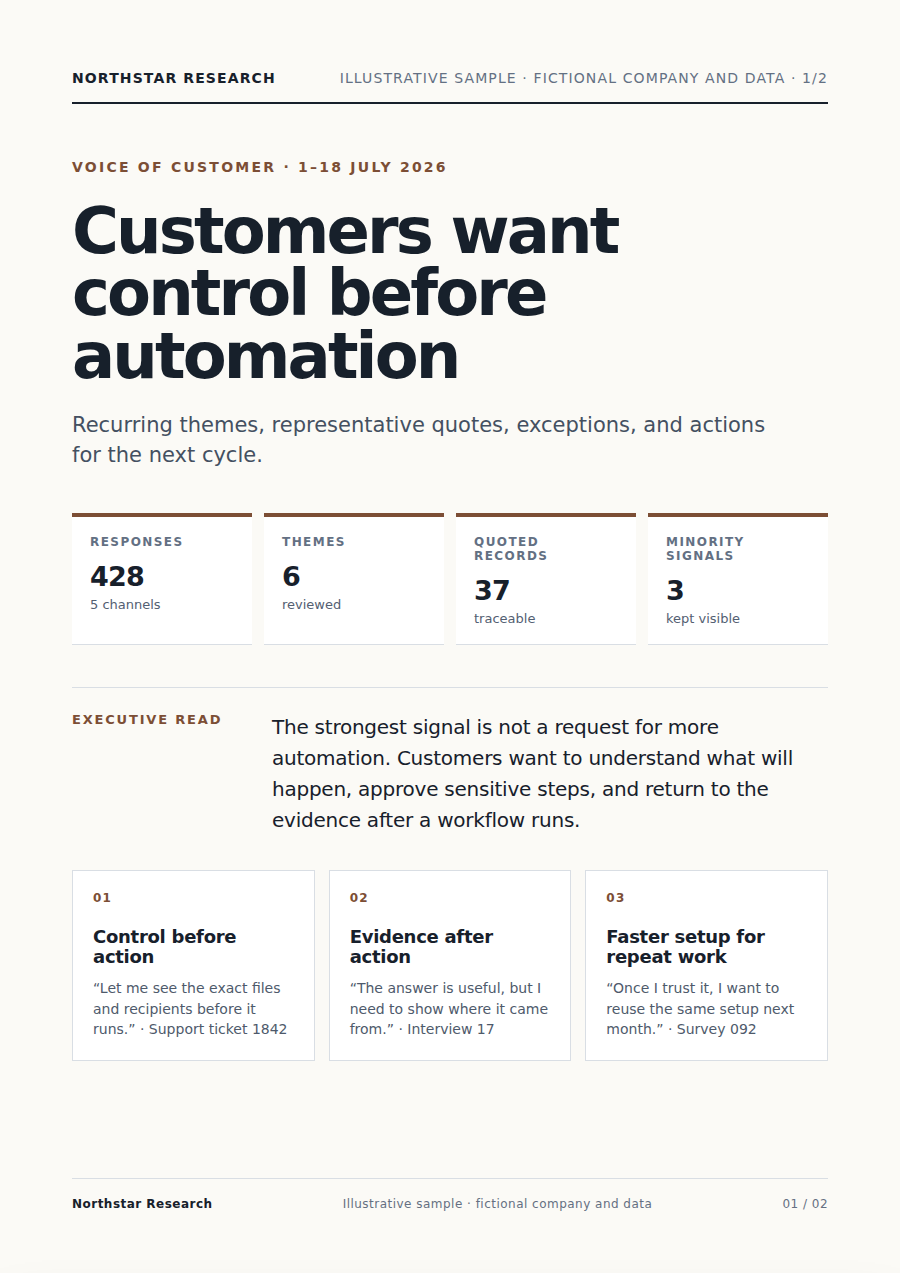
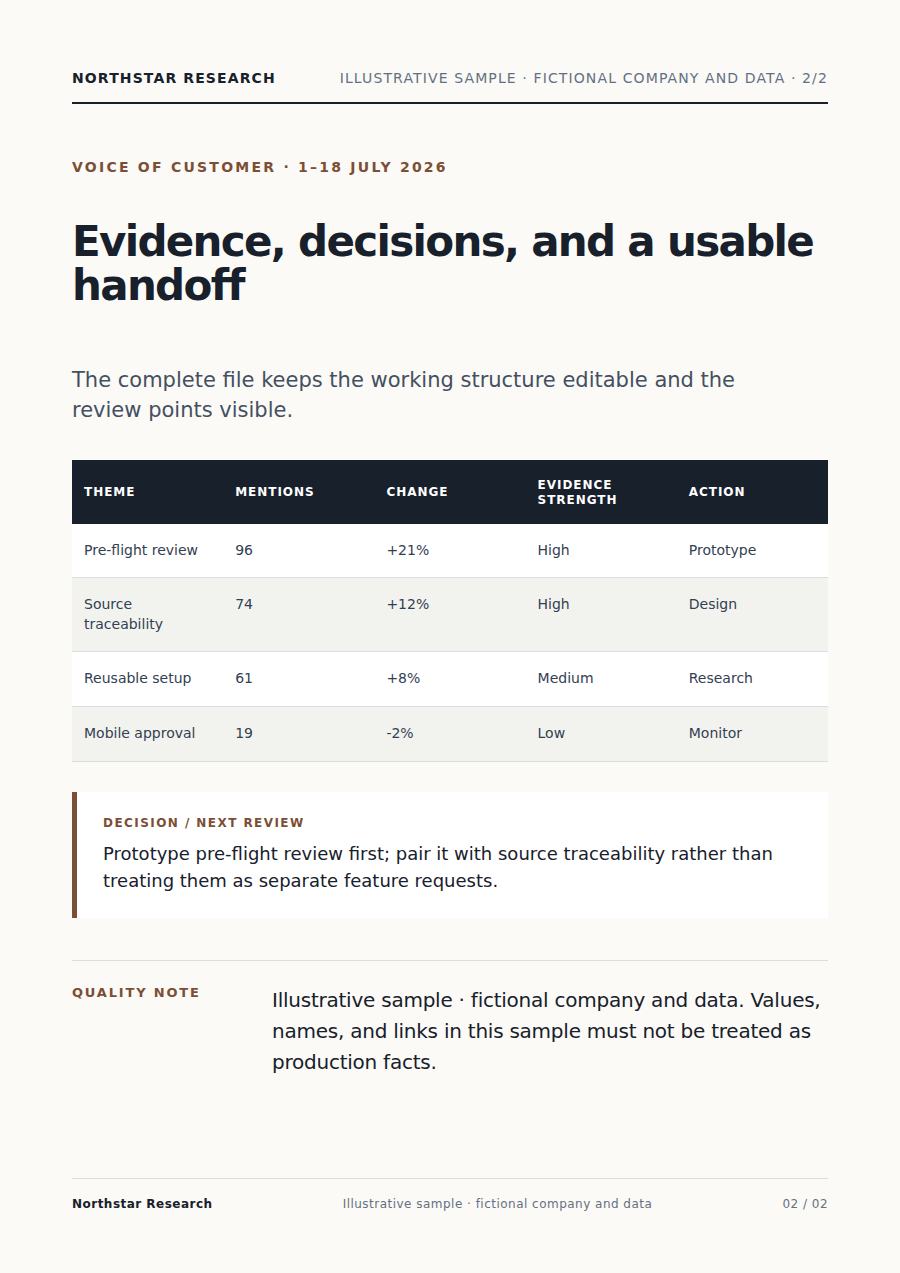
The Agent groups similar feedback, counts recurring themes, preserves representative quotes, and surfaces exceptions and minority views.
Each conclusion stays linked to source feedback, while counts, interpretation, and recommendations remain clearly separated.
Receive a concise findings report with themes, evidence, and suggested actions that your product team can review together.
Paste feedback or attach survey, support, review, or community exports, and explain the product decision you need to make.
The Agent groups similar feedback, counts recurring themes, preserves representative quotes, and surfaces exceptions and minority views.
Each conclusion stays linked to source feedback, while counts, interpretation, and recommendations remain clearly separated.
Yes. Continue in the same conversation to change the focus, wording, scope, or format. Receive a concise findings report with themes, evidence, and suggested actions that your product team can review together.
Keep working with the same material without moving it between separate products.
Upload interview audio, transcripts, or documents. A User Research Assistant organizes themes, verbatim evidence, needs, and opportunities into a reviewable report.
Analyze call quality from recordings and a QA rubric. Vecbase transcribes, scores with timestamped evidence, flags exceptions, and produces practical coaching notes.
Name the competitors and decision you are making. Vecbase compares current pricing, product, docs, reviews, and news, with dated citations and a clear report.
Vecbase
For feedback analysis, add customer feedback, tickets, or survey exports, explain what matters, and let the Vecbase Agent prepare a feedback report with themes and evidence you can review and refine.