


Key finding
Setup presents too many choices at once, so new users do not know what to do first.
Upload audio or notes. A Vecbase Agent understands what each person said, finds shared problems and differing views, and creates a report with the key quotes attached.
Upload audio, transcripts, documents, a CSV, or a ZIP up to 200 MB.
Add the question or decision you care about, or leave it blank for a complete analysis.
Check the quotes behind each finding, ask follow-up questions, and download the report when it is ready.
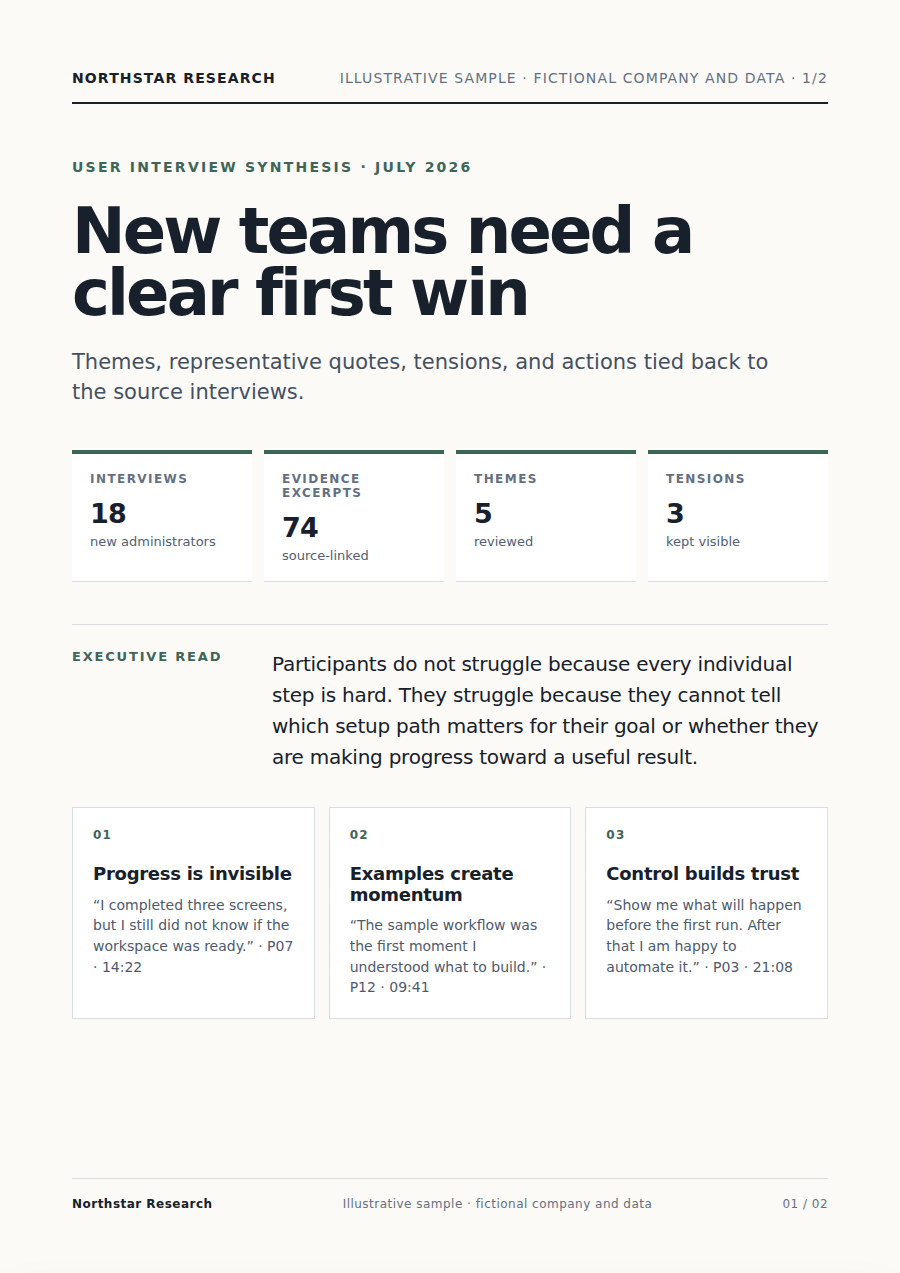
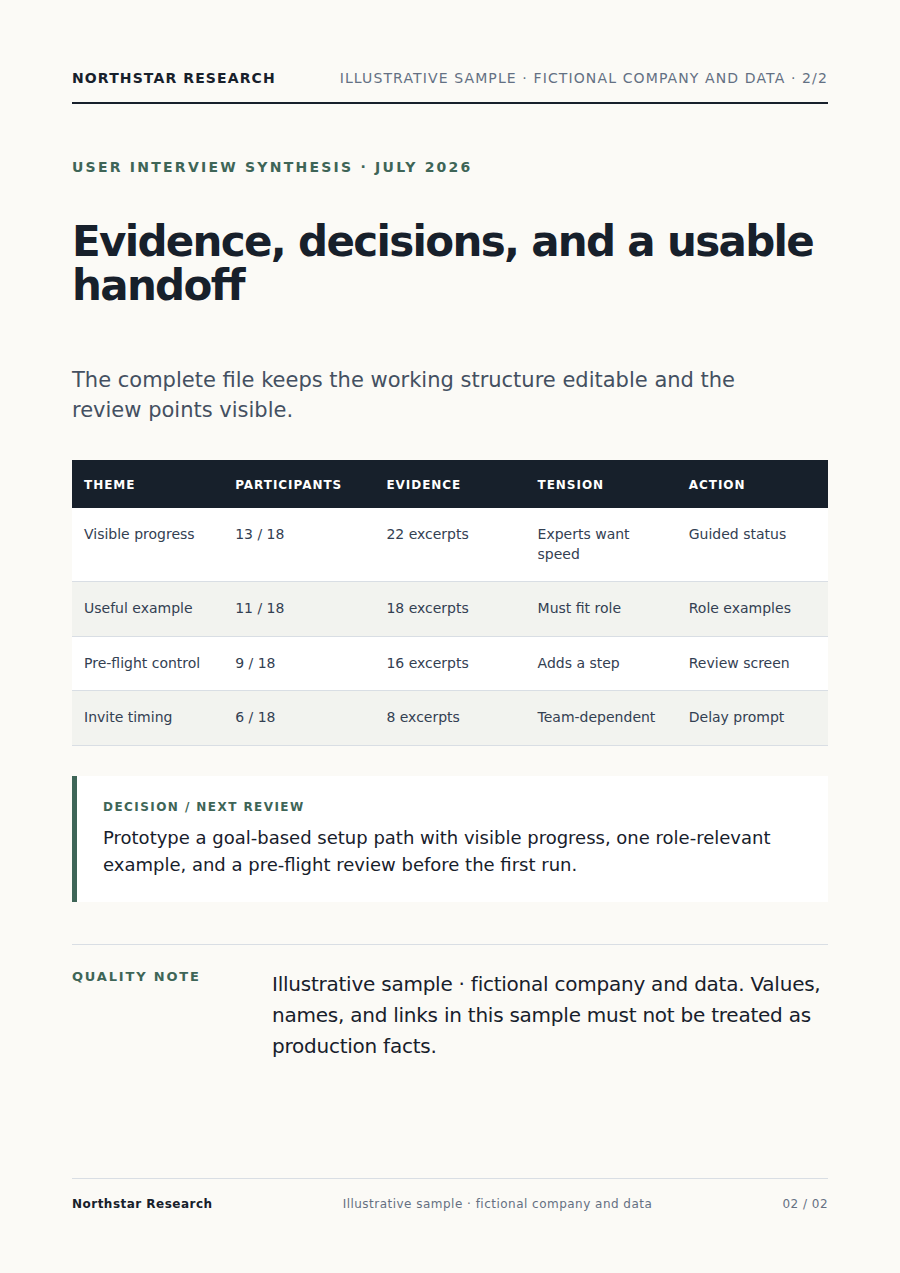
The Vecbase Agent reads every interview, finds recurring problems, and keeps contradictory or minority views visible. Every point in the map comes from a participant quote.
Open a finding to see the key quotes from different participants instead of searching through dozens of transcripts.
“I didn't realize I could just paste a folder and have it written about until day five.”
“First login I just stared. There were nine panels open and no one telling me where to start.”
“I need a per-task cost number before I can let anyone on my team use this with our data.”
Key findings, supporting quotes, and recommended actions stay together, so even teammates new to interview analysis can follow the evidence.
Key finding
Setup presents too many choices at once, so new users do not know what to do first.
Supporting quote
“There were nine panels open and no one telling me where to start.”
Make setup one clear first task, then reveal advanced features gradually.
Yes. Upload MP3, M4A, or WAV audio, or provide TXT, Markdown, DOCX, PDF, CSV, and ZIP files. For audio, the Assistant transcribes first and preserves speaker or participant identifiers where the source supports them.
No. The Agent speeds up transcription, grouping, and evidence organization. You should still review source quotes, consider who was interviewed, and approve the final interpretation.
Yes. Write the question in the task input, such as why new users abandon setup or how two customer groups differ. You can also leave it blank for a complete analysis.
The Assistant can keep quotes in their original language and add translated context when requested. Ask it to preserve language labels and review translated nuances before merging themes across languages.
Keep working with the same material without moving it between separate products.
Upload a meeting recording or notes. Vecbase transcribes and organizes the discussion into decisions, open questions, owners, and action items you can review.
Upload feedback, reviews, or call notes. Vecbase groups themes, counts frequency, preserves representative quotes and exceptions, and returns a clear VOC report.
Analyze call quality from recordings and a QA rubric. Vecbase transcribes, scores with timestamped evidence, flags exceptions, and produces practical coaching notes.
Vecbase
Add audio or notes. Vecbase will turn the important findings and the quotes behind them into a clear report.